



The content on this website has been automatically translated.

$118.95
COLOR DARK SILVER
MIC | SPEAKERS | AUDIO BASE | MOUNTS
Prt# EC-ACCESS-1
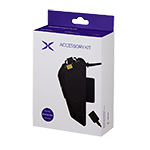
Everything you need to dial in clear communication—one complete kit. The EXOCOM Mic, Speakers & Audio Base Mount Kit is designed to deliver reliable performance, flexible mounting options, and seamless integration with your Link 1 and Link 1C communication systems.
Built for real-world riding conditions, the components work together to ensure clear calls, smooth intercom communication, and dependable performance at speed—so you stay connected without distractions. Clear audio output for calls, intercom, GPS directions, and music Precision microphone designed for clear voice communication while riding Audio base includes both clip-in and adhesive mounting options for versatile helmet fitment Secure, low-profile installation compatible with most helmet designs Seamless compatibility with EXOCOM Link 1 and Link 1C units Backed by a one-year manufacturer warranty
All-in-one Kit:
This kit includes high-quality speakers for clear audio output, a precision microphone for crisp voice transmission, and an audio base with both clip-in and adhesive mount options, allowing you to securely install your EXOCOM unit on a wide range of helmet styles. Whether you prefer a tool-free clip mount or a low-profile adhesive setup, this kit gives you the flexibility to ride your way.
Features and Benefits:
Complete mic, speaker, and audio base solution for EXOCOM systems
What’s in the box:
Speaker set with integrated cable
Microphone
Audio base
Clip-in mount
Adhesive mount
EXOCOM MOBILE APP
The EXOCOM Mobile App provides access to configuration, preference settings, wireless firmware updates, user manual and technical support. Download & install EXOCOM free from the App Store (IOS) or Google Play Store (Android).




Q: What helmet will the EXOCOM work with? Compatibility?
It can be fitted to virtually any helmet with room to accommodate the 40mm diameter speakers and wired or boom microphone. Full-face, dirt-bike, 3/4, and module styles helmets all work great.
Q: Will my EXOCOM pair with other Bluetooth intercoms?
Yes, your EXOCOM will allow pairing with other major brands intercom systems. Please refer to your owner’s manual to learn more about the process.
Q: How do I pair my EXOCOM to another brand's intercom?
EXOCOM (MASTER) paired with Cardo (MEMBER)
1. Turn on all devices (EXOCOM,Cardo).
2. Press and hold the VOL PLUS button on the EXOCOM (Master) for 5 seconds to enter pairing mode. You will hear the voice prompt ‘intercom pairing Rider 1’ from the unit.
3. Set the Cardo device to intercom pairing mode. A voice prompt for intercom pairing may be heard from the Cardo unit.
4. Once the OBI Pairing connection is successfully completed, intercom calls are possible.
EXOCOM (MEMBER) – Cardo (MASTER)
1. Turn on all devices (EXOCOM, Cardo).
2. Press and hold the CENTER button on the EXOCOM (Member) for 5 seconds to enter pairing mode. You will hear the voice prompt ‘intercom pairing’ from the unit.
3. Set the Cardo device to intercom pairing mode. A voice prompt for intercom pairing may be heard from the Cardo unit.
4. Once the OBI Pairing connection is successfully completed, intercom calls are possible.
EXOCOM (MEMBER) – MIDLAND/UCLEAR (MASTER)
1. Turn on all devices (EXOCOM, MIDLAND/UCLEAR).
2. Press and hold the CENTER button on the EXOCOM (Member) for 5 seconds to enter pairing mode. You will hear the voice prompt ‘intercom pairing’ from the unit.
3. Set the MIDLAND/UCLEAR device to intercom pairing mode. A voice prompt for intercom pairing may be heard from the MIDLAND/UCLEAR unit.
4. Once the OBI Pairing connection is successfully completed, intercom calls are possible.
Q: Can I pair my EXOCOM to a SENA/Cardo/etc.?
EXOCOM supports OBI (Open Bluetooth Intercom) Paring. It is compatible with in connection between OBI devices. (Cardo, Midland, UClear), as well as universal intercom pairing mode for other brands. Learn more about pairing your EXOCOM here
Q: Will my EXOCOM work with other open mesh systems?
No, it will not. Currently, Link-1 and Link-1C do not feature mesh technology.
Q: What size are the speakers?
40mm diameter
Q: Which mobile app do I need to download for my EXOCOM?
Q: How do I update my EXOCOM?
EXOCOM firmware can only be updated using the EXOCOM app on your smartphone.
Q: What is the difference between Link 1 vs. Link 1C?
The EXOCOM Link 1 will connect 4 riders while the Link 1C can only connect 2 riders. The Link 1 will also offer voice commands, and easy intercom pairing (NFC) whereas the Link 1C does not offer these functions.
Q: I am having several issues. How do I reset (factory reset) my EXOCOM?
You can press buttons QUICK ACCESS + VOL PLUS + VOL MINUS for 1 second to force power off your device. You can also press buttons VOL PLUS + VOL MINUS for 10 seconds to do a Factory Reset (Power on status).
Q: My EXOCOM is not connecting to the mobile app, what should I do?
First, make sure that you are using the correct app.

If the issue is unresolved, make sure your smartphone is paired via Bluetooth and connected to the EXOCOM controller first. Then open the app and try to connect. You may have to restart the app. If this does not resolve your problem, proceed with the following:
1. Delete the application from your phone
2. Factory reset your EXOCOM by pressing buttons VOL PLUS + VOL MINUS for 10 seconds.
3. Restart the phone.
4. Pair the EXOCOM to your phone via Bluetooth.
5. Download and install the app.
6. Start the app and try to connect. If it still doesn’t connect, turn off your unit with the app running and switch it back on.
Q: Can I charge my EXOCOM while riding?
Yes.
Q: Do I need a smartphone to make it work?
No, the intercom can be paired and used without the need of a smartphone. However, you will need to connect to a smartphone to enjoy features such as streaming music or making/receiving phone calls and updating firmware.
Q: Others say my voice is not coming out clearly, what can I do?
If you are using a boom mic, make sure your mic is as close to your mouth as possible. If you are using the wired mic, make sure it is placed in front of your mouth and unobstructed. If the issue is with excessive wind noise, try moving the mic to a better location with less wind turbulence.
Q: How can I preserve my battery life?
We recommend not storing your EXOCOM for long periods of time with a depleted battery as this will harm its charging capability. If you do not plan on using your EXOCOM for a lengthy period, it’s best to charge it before storing it away.
Q: How can I improve sound quality?
Sound quality is best when the speakers are placed directly opposite your ear canal. Make sure the speakers are positioned as close to your ear as possible so you can feel them. If necessary, use the included Velcro spacer pads behind the speakers to reposition them closer to your ear. You can also adjust your phone’s EQ settings.
Q: Is my EXOCOM waterproof?
Yes, it is waterproof and can be used in wet and rainy conditions. Link-1 and Link-1C are designed with IP58-rated water and dust protection, ensuring durability in challenging environments.
Q: What does the warranty cover for my EXOCOM? How long is the warranty period?
2 year warranty for main unit, 1 year warranty for speakers, battery and accessories.
Q: Can I replace the battery on my EXOCOM?
No, DO NOT open the unit. We do not recommend disassembling or replacing the battery on your own. Please contact customer support for further advice.
Q: Can I share my music with a passenger using an EXOCOM?
No, EXOCOM does not support sharing music functionality.
Q: Does the EXOCOM have noise cancellation technology?
Yes, both Link 1 and Link 1C both have noise cancellation technology.